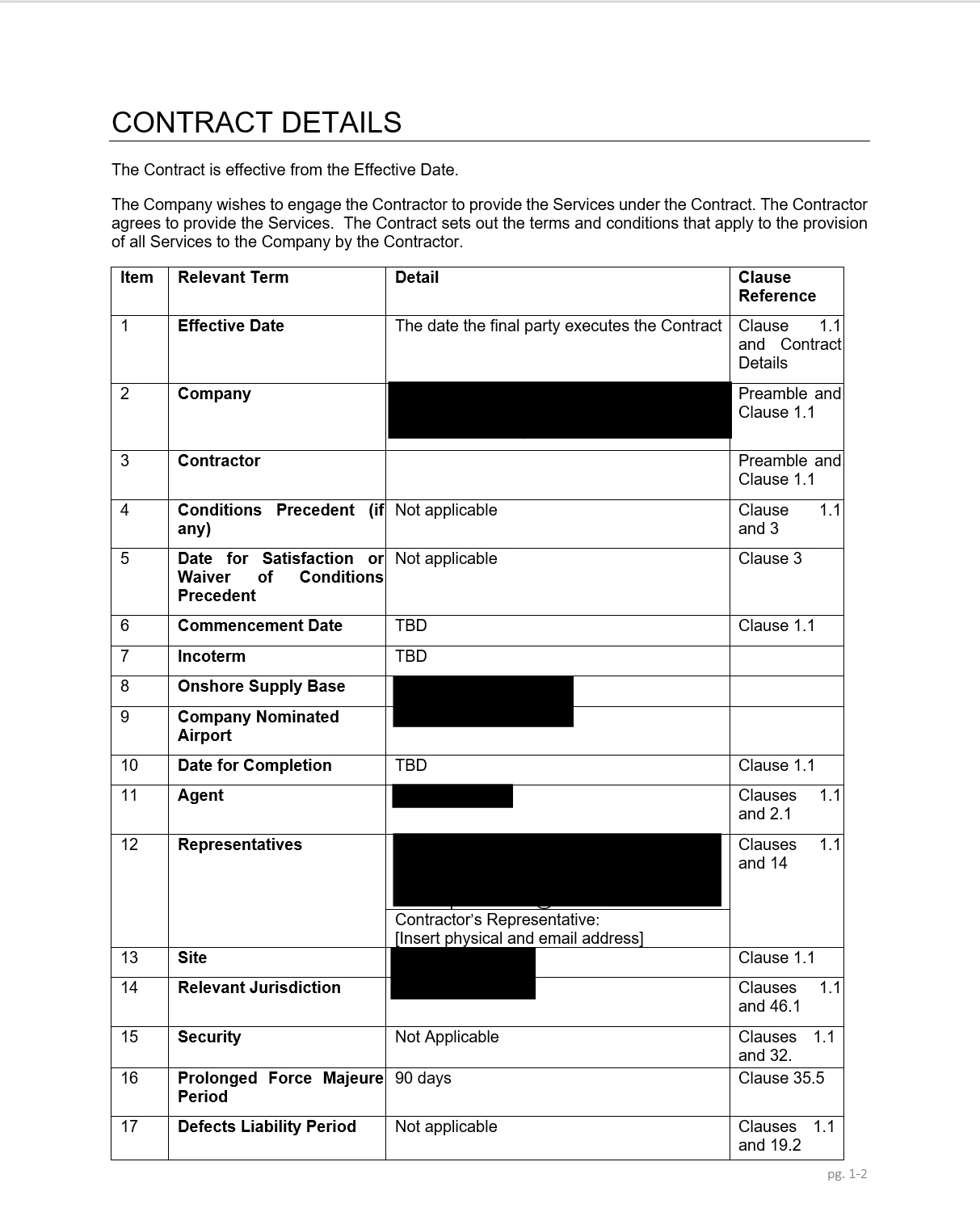
Information going in
A draft subcontract plus the business's preferred terms or the version previously agreed with the same customer.
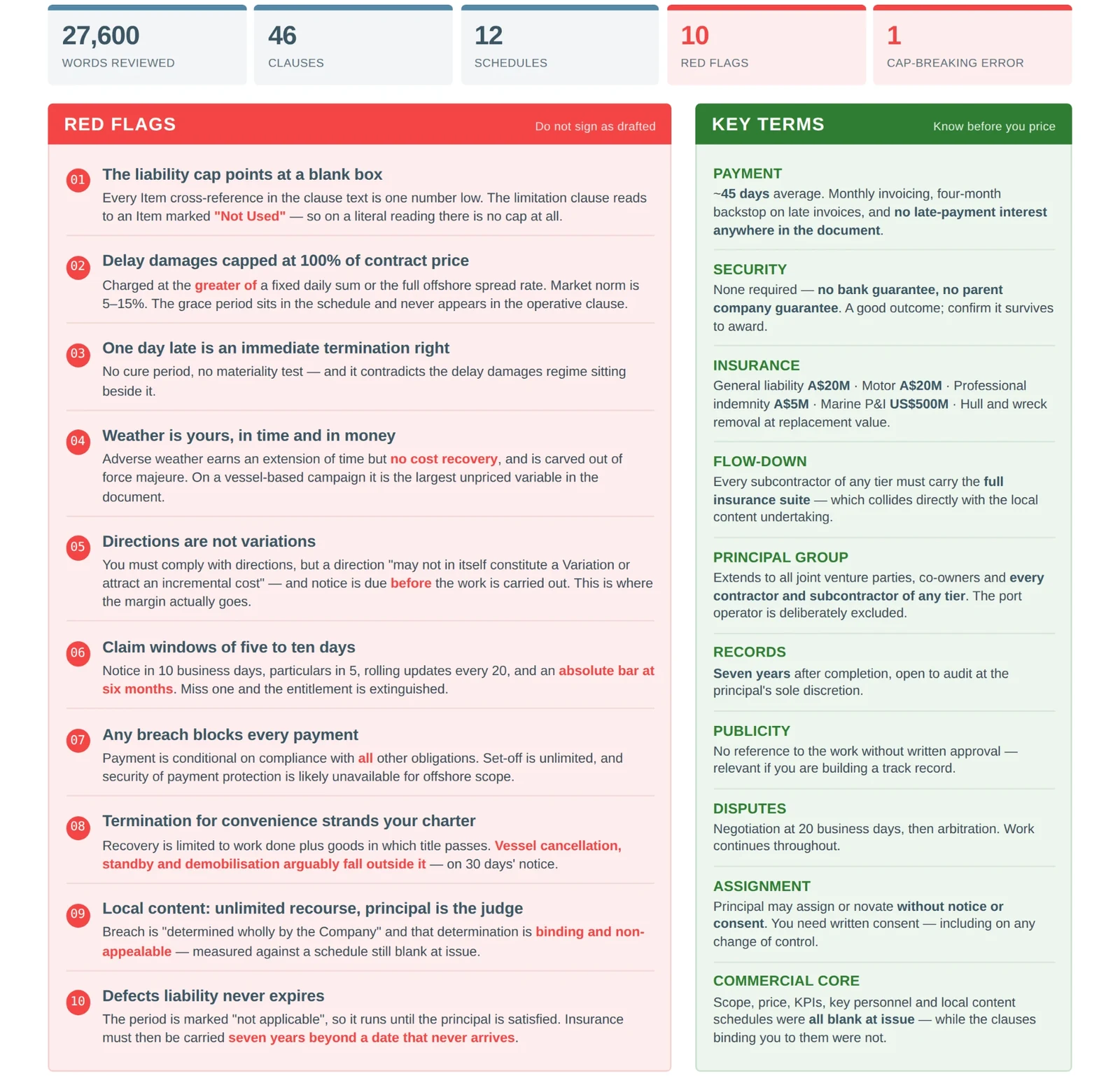
Draft coming out
A clause-by-clause comparison highlighting changes, possible risks and a draft list of questions or response points.
How this example works
- 1
Set the baseline
Use your preferred terms or a previously agreed contract as the comparison point.
- 2
Compare the draft
The app checks the new document consistently and identifies differences that warrant attention.
- 3
Review the response
Your commercial lead or adviser checks the source clauses and decides what to accept or raise.
The human check
This is a review aid, not legal advice. Confirm every comparison against both source documents and obtain appropriate commercial or legal review before accepting terms.
Where it can be useful
- Subcontractors reviewing head contracts
- Builders responding to tender terms
- Suppliers comparing customer agreements
- Repeat clients issuing revised contracts
See another real example
First AI Win identifies useful opportunities in your business, then includes up to three agreed solutions built and configured, with guidance for your team to install and use them.